¶ Hi and welcome to the Vocacraft Wiki !
Here you will find a guide explaining how to use it, and how to create and write articles.
¶ How to use ?
On the left sidebar, you can see a tree-like view showing different categories
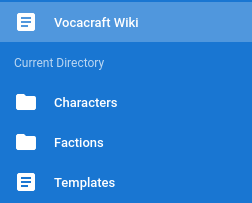
You can use it to navigate the website, and read articles you are interested in.
Each page also has a comment section, and a search bar is also available on the top bar.
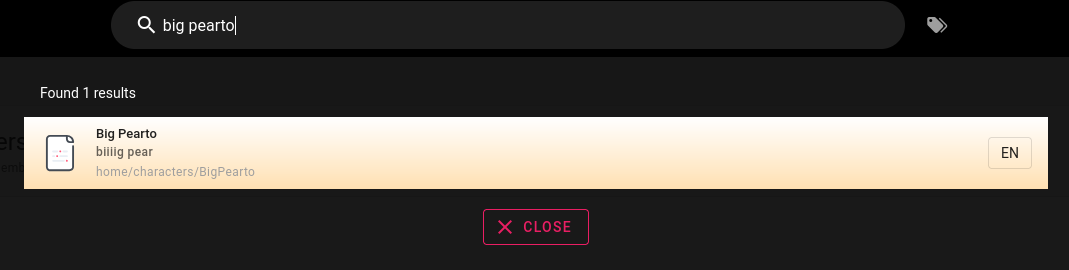
We will ask you all to be respectful, not attacking personally, and generally following the rules already in place in the discord.
¶ How to edit and add pages ?
¶ Editing
This section is mandatory for editing and most importantly creating new pages. We ask you to read it thoroughly. Any page that do not follow these rules will be either moved or deleted.
To edit or create new pages, you first need to be logged in with discord, and be a member of the Vocacraft discord server. You can login using this icon on the top right

To edit a page, simply go on the page you wish to edit, and click either :

this button
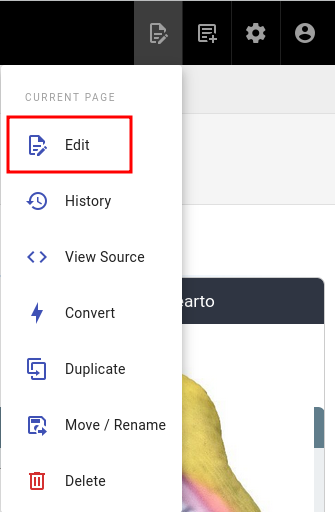
or this page action.
Once done, you will have access to this interface :
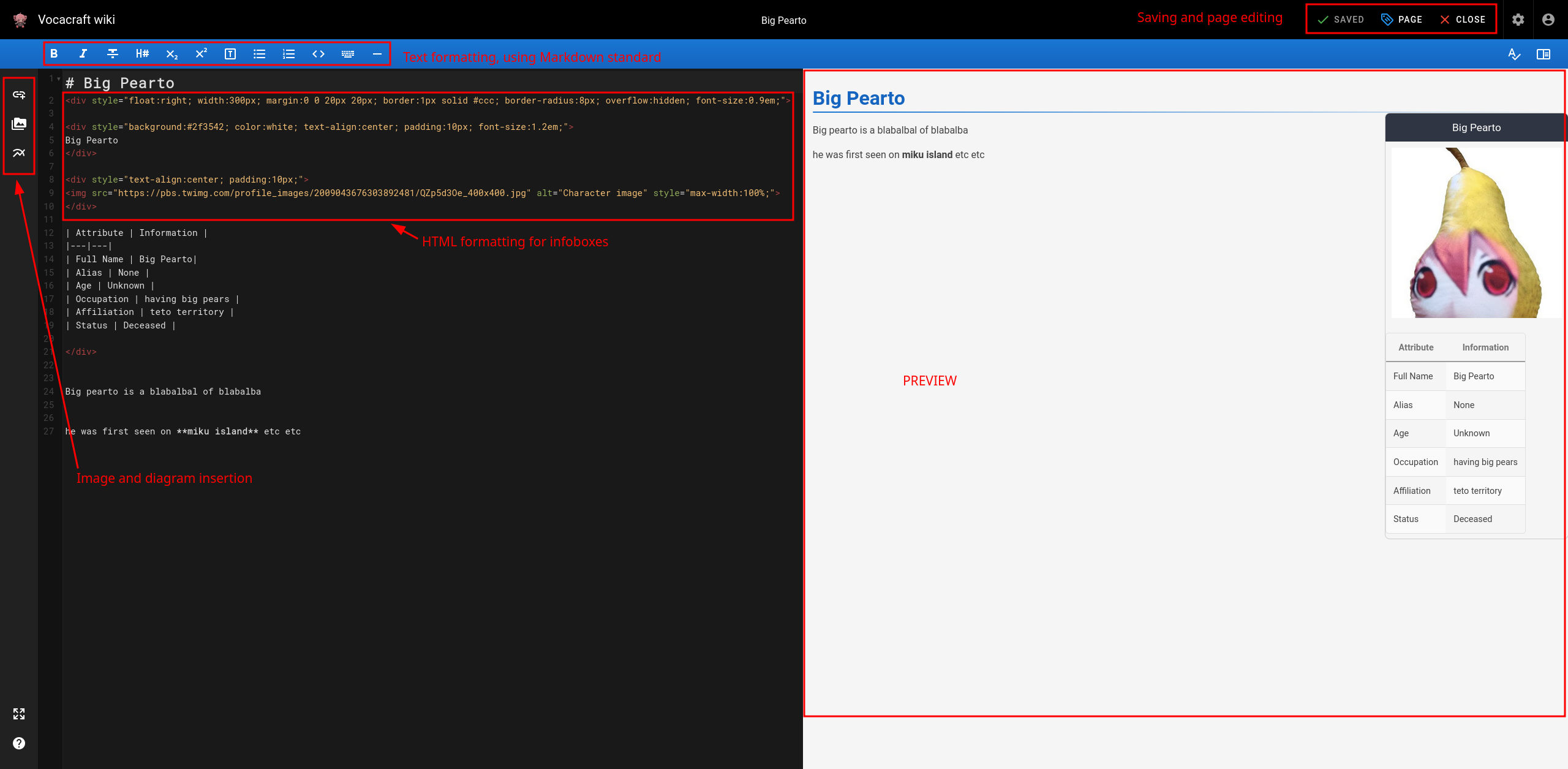
And that's pretty much it for editing ! Here's a Markdown formatting cheatsheet to get the basics on how to edit in Markdown. Don't hesitate to open an already well formatted page to copy concepts and good writing etiquette 
¶ Creating
To create new pages, you need to access this interface :

You will have to choose a path for this new page, keep in mind it is VERY IMPORTANT to follow the architecture already in place.
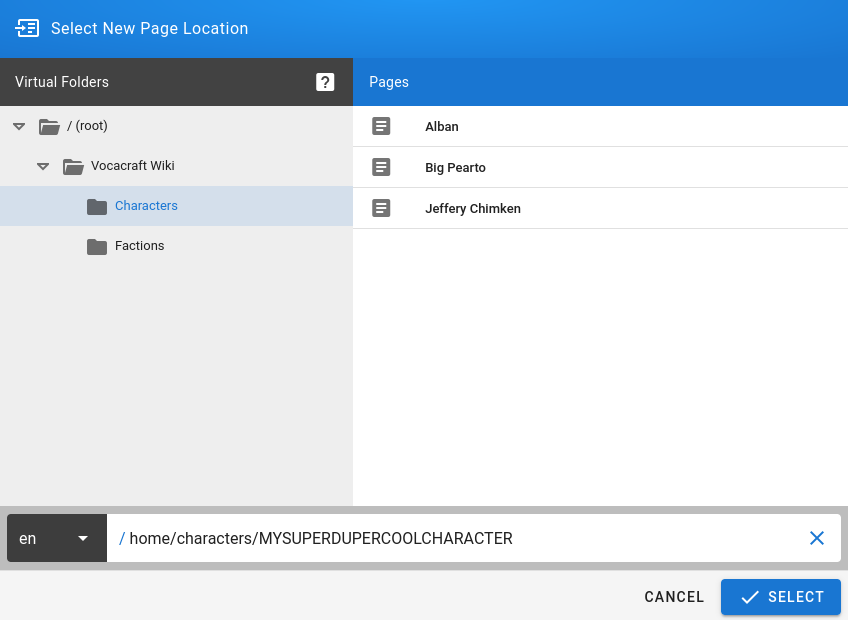
The current architecture is as following :
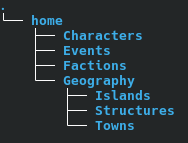
It will evolve as the wiki continues to live, and can always be changed upon request. Don't hesitate to @ or dm ofujiiro on discord for that matter.
Moving on, if I want to create my character "Demurah", I will enter /home/characters/Demurah in the path below.
Another example, if I want to create a new Island page, I will enter /home/Geography/Islands/MikuIsland
After choosing your path, you will be greeted with this prompt :
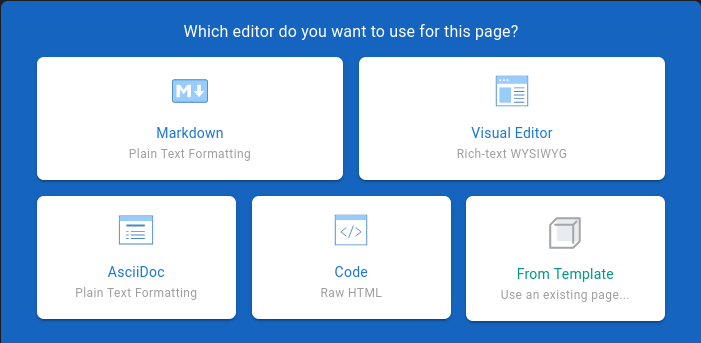
In this instance, for simplicity sake, please always choose Markdown
Finally, you will be able to launch yourself into the writing part !
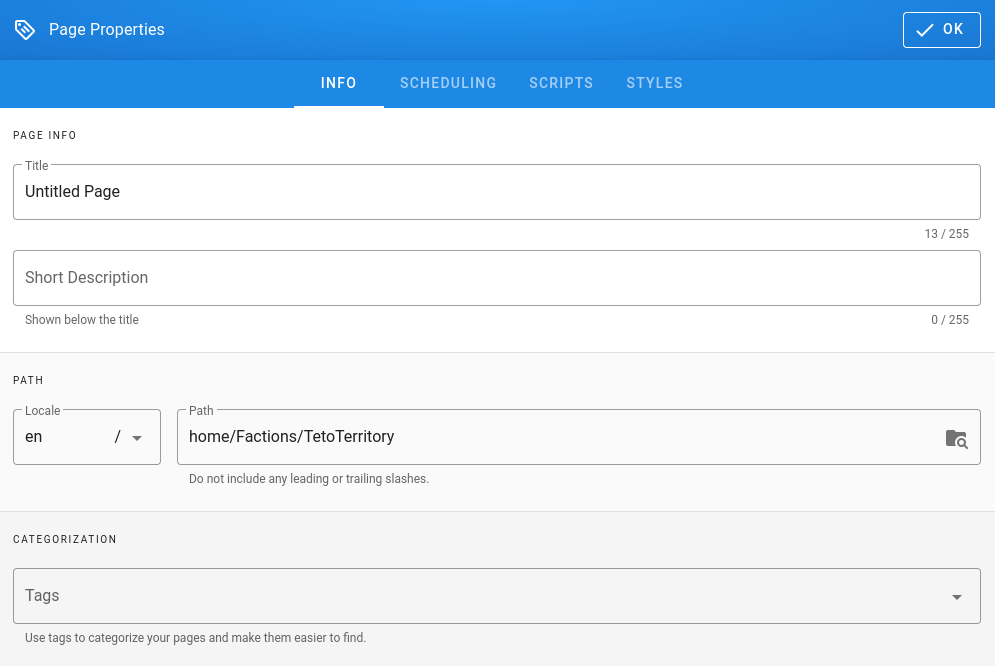
Here you will be able to edit your page properties, tags are not mandatory, but will slowly be rolling out in the coming weeks.
We also recommend using the Templates to start creating your pages.
And that's it for editing and creating ! We wish you a happy time completing the lore of Vocacraft S1!